
Consult
Ask one question about your project and get an answer grounded in what is really there.
In simple words
Consult answers one question about your project, reading your files, your config and your recent runs. It also reads Vibestrate’s own documentation, compiled into the package, so an answer about the product quotes a real command or config key rather than a remembered one.
You reach it from the orb that rests at the bottom right of every screen:
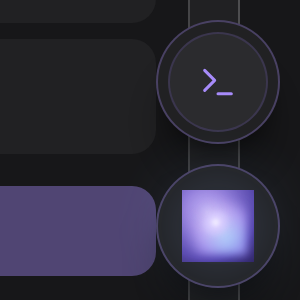
Consult is one question and one answer; the supervisor chat is a conversation that remembers the thread. Reach for the chat when you are working something out over several turns.
What it is good at
“What is this config key?” Answered from the real schema, not from memory of a similar tool.
“What changed in that run?” It has the run record: decisions, diff, validation output.
“Which flow should I use here?” It knows which flows this project actually has installed.
“What did this cost?” The ledger is local and it can read it.
Some screens hand Consult what you are looking at, so a question asked from a run page arrives already knowing which run you mean. That is why the orb rests on every screen rather than living on one page of its own.
The orb, and the page behind it
Pressing the orb opens two cards, and which one you pick decides what the surface may do. Ask about this project is the read-only consult. Work in Vibestrate is the walkthrough catalog stacked above the supervisor conversation, which can act and carries its own permission switch.
The project side is a panel: a composer with Ask, an attach button, and a provider / model / effort picker that defaults to your crew’s planner. Empty, it offers three example questions as buttons that fill the box. Esc closes it, but never mid-question.
The same thing full-size lives at #/consult, with This project and Work
in Vibestrate as a segmented control instead of two cards. It carries no
sidebar row - the orb is the everyday way in - and is what a task-scoped deep
link opens, with the orb hidden while you are on it.
One Answer card holds most of a result: the prose, then Project state ·
computed for anything read off disk, then what could not be verified, then a
Show me how button. Recommended actions follow in a card of their own,
and a proposed VIBESTRATE.md update in another below that.
The answer fits where you asked
Consult answers for where you asked: screens to open in the browser, commands to
run in the shell. That is a difference in source material, not tone. A dashboard
question naming none of Vibestrate’s commands gets the command reference pages
dropped before the model sees them, and the fenced examples stripped from the
concept pages that survive. Name a real subcommand, or say “command line”, and
those pages come back on any surface: a question about vibe run --flow
deserves an answer about vibe run --flow.
The dashboard answer is also handed the real screen list, derived from the
authored walkthroughs, so it has somewhere to point instead of a YAML file. A
command named inside a sentence survives the strip, so the honest claim is that a
dashboard answer recommends screens, not that the word vibe never reaches the
model.
Consult is read-only: no run starts, no file in your repository changes, nothing merges, and the model is given no permission to write. Every answer carries a confidence and a list of caveats, the things it could not verify, because the orchestrator is a model too and an answer with neither would be model confidence dressed as fact.
vibe consult prints the confidence on every answer’s header line, with the
caveats under it when there are any. The dashboard folds both into one amber
block that appears only when there is something to qualify - a caveat to list, or
a confidence below high - and titles it with what that means (Could not
verify, Partly inferred, Mostly inferred) rather than printing the
word. A high-confidence answer with nothing unverified shows no block at all.
Screens pass their context
The New run composer publishes the brief you have typed, the flow and crew you picked, the run options, and any planner questions still on screen. The Spec-up questions screen publishes the round and your answers so far. Everywhere else the orb is grounded in the project alone.
What it receives is a typed projection of state the dashboard already holds, never a screenshot or a scrape of the page, secret-redacted on the server before it reaches a provider.
Its source material
Two halves, kept apart.
Your project. VIBESTRATE.md, .vibestrate/project.yml (providers, profiles, crews, policies), recent run outcomes with their review and validation evidence, the codebase map, agent-visible annotations, and - when you pass them - a task, a run, or named files. Read-only, path-guarded, secret-redacted and bounded.
Vibestrate’s documentation. These pages, the command tree and the config schema, compiled into the build. The lookup is keyword matching, not a model call and not a search service, so it works offline and the same question brings back the same pages.
The product half stays quiet unless your question uses Vibestrate’s own vocabulary. Ask why a React build failed and no product pages are pulled in at all.
Two things this is not. Not a sandbox: the provider runs as a CLI in your project directory, so a tool-capable model can read files itself. And the documentation is part of the build, so a file in your project cannot shadow it or put words in it.
Money questions
Ask about money and consult rolls up the last seven days of spend per provider, from the metrics your runs recorded. It says when a figure is an estimate: a cost a provider CLI reported is quoted as fact, a turn priced here from token counts times a published list price is not, and one estimated turn makes the whole total an estimate. If nothing was recorded in the window, the answer says so rather than producing a number.
The same line holds on the product half: ask about a flag that does not exist and the answer is instructed to say the documentation does not cover it and lower its confidence, rather than filling the gap from memory. That is an instruction to the model, not a gate in code - which is why the answer also shows its caveats.
The two proposals it can leave
Both wait for you, and there is nothing else.
A VIBESTRATE.md update is saved for review, never auto-applied. Apply to VIBESTRATE.md appends the reviewed text through a guarded writer - Action Broker file.write, path-guarded, refused if the content carries secret-shaped tokens - so you read the diff before committing it.
A policy proposal is the one thing consult writes on its own: say a durable review rule while asking and it lands in .vibestrate/project.yml pending. It is a real edit to a tracked file, so it shows up in git diff, and it appears on the Policies page.
A proposed policy changes nothing until you confirm it. It is written with confirmedAt: null, which is the gate both consumers check: the reviewer never injects it and the merge gate never enforces it. Tier and matcher are forced by the code that writes it - always advise, never a matcher - so a model cannot author a rule that blocks a merge. See Policies.
Consult starts no run and changes no setting that governs one. It runs on the assist path: the provider spawn crosses the Action Broker, there is no worktree and no run lifecycle, and the record is audited under .vibestrate/runs/consult/.
In the shell
vibe shell’s Consult page is the proposal side: the open VIBESTRATE.md
proposals, with a to apply, x to reject and r to refresh. Asking happens at
the shell prompt - type consult "..." - and because that is a terminal, the
answer comes back in commands.
From a terminal
The automation path. The CLI overview has the rest of the surface.
vibe consult "Should this use a heavier flow?"
vibe consult "Why did the last run block?" --run <runId>
vibe consult "What is left here?" --task <taskId>
vibe consult "What does this file do?" --file src/consult/consult.ts
--file repeats. --profile <id>, or --provider <id> --model <m> --effort <level>, answers one question on a model of your choosing without editing
anything, the same picker the orb carries.
Both proposals have a command pair behind the dashboard buttons:
vibe guide proposals
vibe guide apply <id>
vibe guide reject <id>
vibe policies list
vibe policies confirm <policyId>
vibe policies reject <policyId>Over HTTP, POST /api/consult asks, and GET /api/vibestrate plus its init and proposals routes read and apply the manual side. The surface is fixed to the dashboard on that route and never read off the request body, so a client cannot ask its way back into terminal instructions.
Related
- VIBESTRATE.md - the manual consult reads, and proposes updates to.
- Policies - the tiers, and what confirming a proposal turns on.
- Supervisor Control - the conversation that remembers, and can act.
- Safety - the Action Broker, and what does not cross it.
